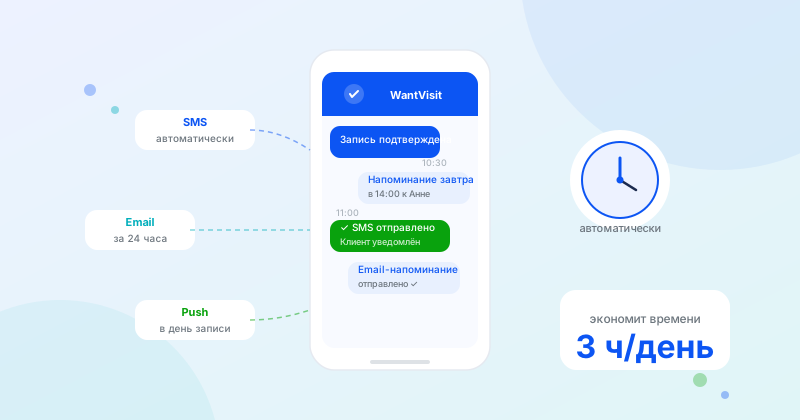
Manual reminders take up time and still miss things. Automation solves both problems: clients receive notifications on time, and you don't spend a single minute.
Why automate reminders?
Calling every client the day before a visit takes 30–60 minutes a day for a busy receptionist. Many still go unreached. Sending emails manually is another source of errors and delays.
Automatic notifications:
- Are sent right on schedule, without human error
- Scale to any number of bookings
- Work 24/7, including weekends and holidays
- Reduce the workload on your receptionist
What reminders does a business need?
The minimum set for any service business:
- Booking confirmation — sent immediately after the client books. Contains the date, time, address, and service name.
- 24-hour reminder — the main reminder. This one reduces no-shows the most.
- 2-hour reminder — a final nudge for clients who forget until the last moment.
You can also set up:
- Review request — 1–2 hours after the visit
- Repeat visit reminder — after N days/weeks for recurring services
SMS or email?
SMS is read by 95% of recipients within 3 minutes of delivery. It is the best channel for short urgent reminders (2 hours before).
Email is suited for more detailed messages: booking confirmations with details, pre-visit instructions, review requests. Open rates are lower — around 20–30% — but the cost is zero.
The optimal approach is to use both channels: email for confirmation, SMS for the day-before reminder.
What should a reminder include?
A good reminder contains:
- Client's name — personalization boosts response
- Date and time of the visit
- Service or specialist name
- Address (or a map link)
- Contact info and a link to cancel/reschedule
Example of a short SMS: "Ivan, a reminder about your booking tomorrow, March 15 at 2:00 PM with Anna. Address: 5 Lenin St. To reschedule: [link]"
How to set it up in WantVisit
In WantVisit, reminders work automatically from day one. The system sends an email notification right after booking and a reminder the day before the visit. No additional setup is required.
On paid plans, SMS notifications are available — they boost attendance even more. Setup takes just a few minutes in your company settings.
Summary
Automating reminders is one of the quickest improvements for a service business. You spend 15 minutes on setup and get a consistent reduction in no-shows for years to come.