CRM is an acronym that scares small businesses. “That’s for big companies. We don’t need it.” In reality, CRM is simply a system that helps you not forget about your clients. And you need it even if you work alone.
What Is CRM in Simple Terms
CRM (Customer Relationship Management) is a system for managing client relationships. In practice, for small businesses this means:
- A single place to store client contacts
- A history of all interactions (calls, visits, purchases)
- Reminders: who to call, who to congratulate, who to win back
- Automation of routine tasks: booking reminders, confirmations
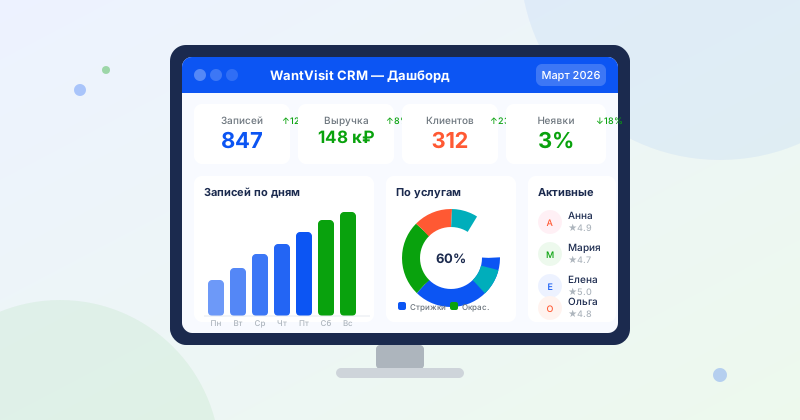
For service businesses, CRM is primarily a booking system + client database.
Does a Small Business Need CRM?
Let’s be honest: if you have 5–10 clients per week and you remember each one personally — perhaps Excel or a notebook still works for now.
But if at least one of the following is true for you — you need one:
- A client booked and you forgot
- You waste time answering the same questions over the phone
- You do not know which clients have not visited in a long time
- Your receptionist makes booking errors
- You want to grow but do not understand how to scale your processes
CRM vs Spreadsheet vs Messenger
Google Sheets — free and simple, but no reminders, no online booking, hard to use on a phone. Good for starting out if you have up to 20 clients per month.
WhatsApp/Telegram — informal agreements, everything in private messages, no centralized history, no schedule. Works at the very beginning but scales poorly.
CRM (WantVisit and others) — online booking, scheduling, client database, reminders — all in one. Scales easily and does not require a dedicated employee to manage.
How to Choose a CRM for a Small Business
Criteria in order of importance:
- Simplicity — you and your receptionist should figure it out in 1–2 hours
- Online booking — clients should be able to book on their own
- Reminders — automatic, without your involvement
- Mobile access — you and your staff work from smartphones
- Price — there should be a free plan to start with
Fears That Prevent CRM Adoption
“It’s expensive” — WantVisit is free, and the free plan is enough for most small businesses.
“It’s hard to set up” — basic setup takes 1–2 hours. Documentation and support are available.
“Clients won’t book online” — in practice, 50–70% of clients under 40 prefer online booking over calling.
“We don’t need it, we’re small” — it is precisely small businesses that benefit most from automation: it saves time you already lack.
Summary
CRM is not a luxury but a basic tool for any service business. Start with a free plan, set up online booking and reminders — and in a month you will never want to go back to a notebook.