“We need a website with online booking” — this is a common request from small businesses. But before spending money on development, it is worth understanding: in most cases, a separate website is not needed at all.
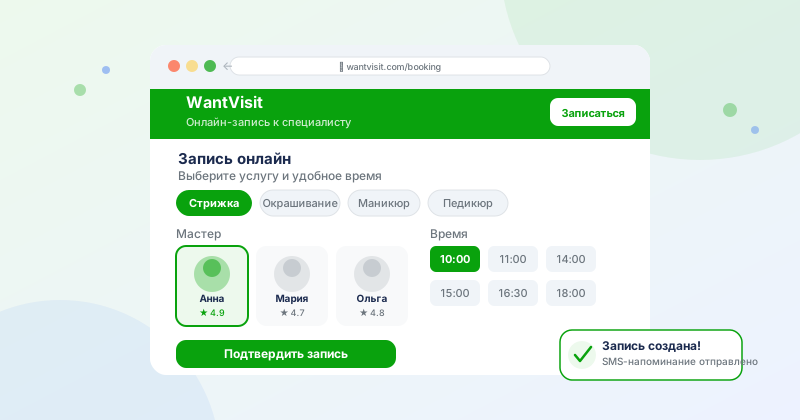
Three Options for a “Website with Online Booking”
You have several paths, and they differ significantly in cost and complexity:
Services like WantVisit automatically create an online booking page for your business. You get a personalized link like go.wantvisit.com/your-business that you can place anywhere.
- Free or very affordable
- Setup in 1–2 hours
- Works immediately — no domain, hosting, or developer needed
- Includes a client database and reminders
- Branding is limited — the link is not on your domain
- Less design flexibility
You build a website on Tilda, Wix, Readymag, or similar platforms. Then you add a booking form (built-in or a third-party widget).
You hire a developer to build a custom website with a booking form or integration with a booking system API.
How to Use a Booking Link Without a Website
Most small businesses do not need a website at all. You can place your online booking link:
- In your Instagram profile header (“Link in bio”)
- In your VK profile
- In your business listing on Google Maps and Yandex Maps
- In your social media post captions
- In a Telegram bot or channel
- In messengers when chatting with clients
This works — and requires no website.
What a Booking Form Must Have
Regardless of the option you choose, the booking form should:
- Work on mobile phones
- Display a real calendar with available time slots
- Send a confirmation via email or SMS
- Not require the client to register
Summary
Start with a ready-made booking service — it is fast, free, and works. If after a few months you feel that you need a full website — then invest in a builder or custom development. But most likely, a link to go.wantvisit.com on your social media will be enough.