In a fitness club with multiple trainers, schedule management is a constant headache: double bookings, some trainers overloaded while others sit idle, and clients unable to book with the trainer they want.
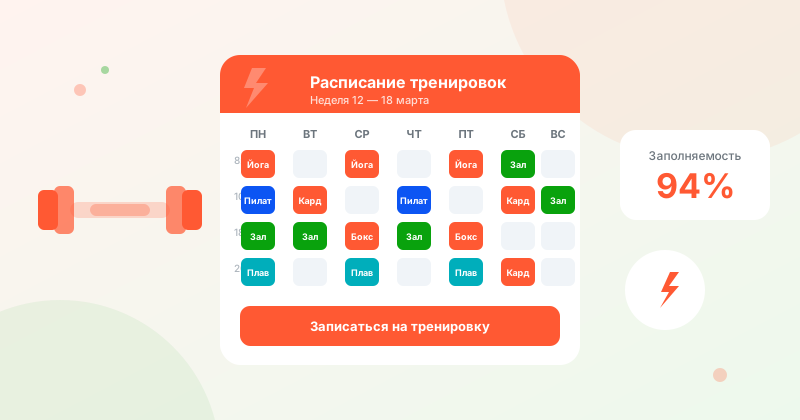
Common Scheduling Problems in a Fitness Club
- Double bookings — two clients booked with the same trainer at the same time due to an admin error
- Uneven workload — one trainer has a queue, another has empty slots
- Time wasted on coordination — a client wants to book, but the admin has to check with the trainer and then call back
- No history — it's unclear how many sessions a client has completed or what their progress is
How Online Booking Solves These Problems
When every trainer has their own schedule in the system, clients choose the specialist and available time themselves. Double bookings are technically impossible — only one client can occupy a time slot.
The client sees real availability: if their favorite trainer has no openings this week, they can see the nearest available time and book instantly, without calls or waiting.
Balancing Trainer Workloads
A popular trainer is always booked, while a newcomer sits idle — it's a familiar situation. A booking system helps fix this:
- Analytics show each trainer's utilization by week/month
- You can temporarily close bookings for an overloaded trainer or increase the minimum interval between clients
- For less popular trainers — offer discounts during "quiet hours"
Group and Personal Training
For group classes, it's important to limit the maximum number of participants. The client signs up, sees how many spots are left ("3 of 10 remaining"), and makes a quick decision.
For personal training — a classic "one client per slot" schedule. The trainer can manage their own schedule via the mobile app.
Working with Regular Clients
A client who visits the same trainer twice a week is steady revenue. The system helps retain them:
- Reminders about the next session
- Visit history — the trainer sees how many sessions there have been
- If a client hasn't booked in 2 weeks — it's a signal to reach out
Scheduling for Multiple Locations
If you have multiple gyms or branches, WantVisit lets you manage all schedules from a single account. The client picks the location that suits them and books.
Summary
An automated schedule saves 1–2 hours of administrative work per day, eliminates double bookings, and lets trainers focus on working with clients rather than coordination.