A client database is a business asset that works for years. Companies with a well-built database earn 5–7 times more from repeat sales than from acquiring new clients.
What Is a Client Database and Why You Need One
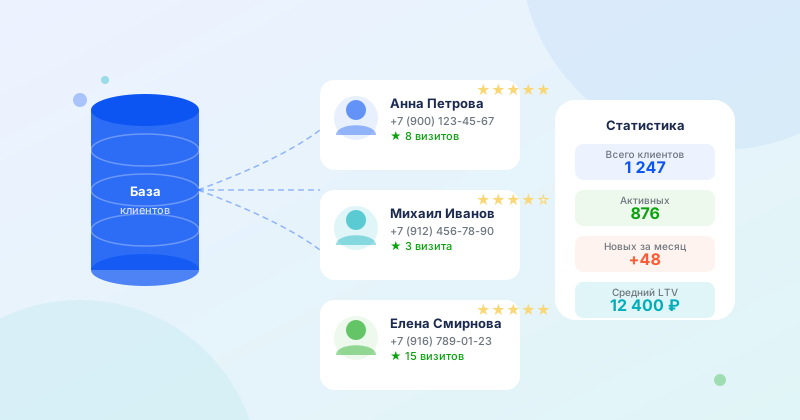
A client database is a structured list of everyone who has ever used your services, with their contact details and interaction history.
What it gives your business:
- The ability to remind clients about yourself and bring them back
- Personalized offers based on visit history
- Analytics: who visits often, who disappeared, who brings the most revenue
- Lower acquisition costs: repeat sales cost 5–7 times less than initial ones
How to Collect Client Contacts
The most reliable method is to record contacts during every booking. If a client calls to book, ask for their name, phone, and email. It takes 30 seconds but will build your database in a month.
Other methods:
- Online booking — the client enters their data when booking. The most convenient and accurate method: no errors, data goes directly into the system.
- First visit questionnaire — paper or digital. Ask for name, phone, email, and date of birth.
- Loyalty program — “Leave your email to get a bonus” converts well.
- Social media — if a client messages you on social media, record their contact in the database.
Minimum Client Card
To start, you need:
- First and last name
- Phone number
- Date of last visit
- What they purchased (services, amount)
Additionally (as you grow):
- Date of birth — for birthday discount greetings
- Preferences — favorite specialist, typical request
- Source — how they found you
How to Work with Your Database
Segmentation — divide your database into groups: new clients, regulars, and “sleeping” clients (3+ months absent). Each group gets its own message.
Regular touchpoints — remind clients about yourself 1–2 times a month. Not with ads, but with useful content: tips, promotions, news.
Winning back “sleeping” clients — send a personal message: “We haven’t seen you in a while! 15% off your next visit.”
Birthday greetings — a birthday with a coupon works every time. The client feels appreciated and comes in.
Where to Store Your Database
Excel and Google Sheets work for starters, but lack reminders and automation. CRM systems like WantVisit store the database automatically: every online booking creates or updates a client card.
Summary
A client database is built gradually. Start today by recording every new client's contact. In six months, it will become your most valuable marketing asset.